
“I’m not a technical person.” This single belief stops more people from learning Python automation than any actual difficulty. Accountants, marketers, project managers, analysts — professionals who would benefit enormously from automation convince themselves it’s not for “people like them.”
This guide is specifically for non-technical professionals considering Python automation. Not watered-down reassurance, but honest assessment: what’s actually hard, what’s surprisingly easy, and why your non-technical background might be an advantage. For structured learning options, this Python course guide covers beginner-friendly programs.

The “Technical Person” Myth
Let’s dismantle this belief directly:
There’s no “technical gene.” People who seem naturally technical simply started earlier or practiced more. Programming ability is learned, not inherited. Your colleagues who “get” technology weren’t born that way.
“Technical” often means “familiar.” Things seem technical until you understand them. Excel seemed technical once. Email seemed technical once. They became normal through exposure, not through becoming a different person.
Most programmers started knowing nothing. Every Python expert began unable to write a single line of code. The difference between them and non-programmers is simply that they started.
The question isn’t whether you’re technical enough. It’s whether you’re willing to become familiar with something new.
What’s Actually Difficult (Honest Assessment)
Python automation has genuinely challenging parts. Knowing them prevents surprise:
Thinking in sequences. Programs execute step by step, top to bottom. If you’re used to spreadsheets where everything calculates simultaneously, this sequential thinking requires adjustment.
Syntax precision. Computers are literal. A missing comma breaks everything. This precision feels frustrating initially — you’ll think “but you know what I meant!” The computer doesn’t know. It only knows what you typed.
Abstract concepts. Variables, loops, functions — these are abstractions that don’t map directly to physical objects. Understanding them takes time and practice, not just reading.
Error messages. When code breaks, Python produces error messages that look like gibberish initially. Learning to read them is a skill itself.
These challenges are real. They’re also surmountable — thousands of non-technical people overcome them regularly.
What’s Surprisingly Easy
Counterbalancing the difficulties, some aspects are easier than expected:
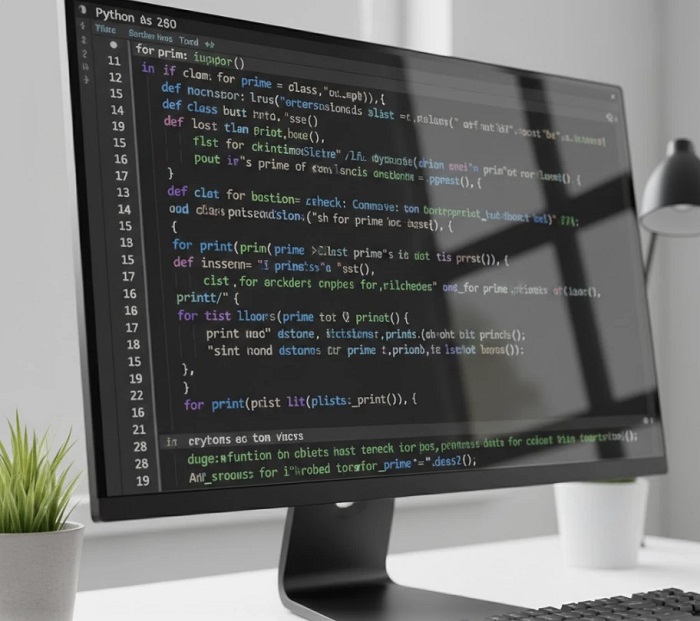
Python reads like English. Unlike older programming languages full of symbols and abbreviations, Python uses actual words. “if”, “for”, “while”, “print” — you can often guess what code does just by reading it.
Immediate results. Write code, run it, see what happens. The feedback loop is fast. Unlike learning languages or instruments where progress is slow, Python shows results in seconds.
Abundant help. Every error message you’ll encounter has been encountered before. Solutions exist online for virtually every problem. You’re never truly stuck — just temporarily searching.
Copy and adapt. You don’t need to invent solutions. Find code that does something similar, understand it, adapt it. Standing on others’ shoulders is encouraged, not cheating.
Why Non-Technical Backgrounds Are Actually Advantages
Your “non-technical” background includes skills that technical people often lack:
You know business problems. Technical people build solutions looking for problems. You have problems looking for solutions. Knowing what actually needs automating is half the battle.
You understand data in context. That spreadsheet isn’t just data — you know it’s Q3 regional sales requiring specific validation and format. Context knowledge makes automation design better.
You communicate with stakeholders. Building automation for others requires explaining what it does, gathering requirements, managing expectations. Technical skills alone don’t cover this.
You value practicality over elegance. Technical people sometimes over-engineer solutions. You want something that works. This pragmatism produces automations that actually get used.
You know manual processes intimately. You’ve done the tedious work yourself. You know the shortcuts, the exceptions, the edge cases. This knowledge is invaluable for automation design.
Real Non-Technical Success Patterns
Common profiles of non-technical professionals who successfully learn Python automation:
The Frustrated Analyst. Spends hours copying data between spreadsheets. Learns Python to eliminate the copy-paste. Now processes in minutes what took hours. Didn’t become “technical” — became efficient.
The Curious Marketer. Wanted to pull data from websites for competitive analysis. Learned basic web scraping. Didn’t need computer science — needed data collection solved.
The Overwhelmed Administrator. Managing files across systems manually. Learned file automation basics. Now computers do the tedious organizing. Still not “technical” — just automated.
The Ambitious Accountant. Monthly reports took days of manual Excel manipulation. Automated the entire pipeline. Didn’t change careers — enhanced the current one dramatically.
None of these people became programmers in the traditional sense. They became professionals who use programming to solve their specific problems.
The Learning Approach for Non-Technical Learners

How to maximize success without a technical background:
Start With Your Problem
Don’t learn Python abstractly. Identify a specific task you want to automate. This provides motivation and immediate application. “Learn Python” is vague; “automate my weekly report” is actionable.
Accept Initial Discomfort
The first two weeks feel awkward. You’re learning a new way of thinking, not just new information. Discomfort doesn’t mean failure — it means learning is happening.
Type Everything Yourself
Don’t copy-paste tutorial code. Type it manually. Your fingers need to learn the patterns. Typing builds muscle memory that reading cannot.
Break Things Intentionally
When code works, change something and see what breaks. Understanding why things fail teaches as much as understanding why they work. Experimentation builds intuition.
Use Your Domain Knowledge
Apply Python to your actual data immediately. Generic examples teach concepts; your real files teach application. The combination is more powerful than either alone.
What “Success” Looks Like
Realistic expectations for non-technical learners:
After 1 month: You can write simple scripts that process files and data. Not elegant, but functional. You’ve automated at least one real task.
After 3 months: You handle most common data automation tasks. Excel processing, file management, basic data cleaning. You think “I could script that” regularly.
After 6 months: You’re the automation resource in your team. Colleagues ask for help. You solve new problems by adapting what you’ve learned.
After 1 year: Automation is natural. You’ve saved hundreds of hours cumulatively. The skill has changed how you approach repetitive work.
Note what success doesn’t require: becoming a software developer, understanding computer science theory, or changing your professional identity. You remain who you are — with new capabilities.
Choosing the Right Learning Path
Non-technical learners should prioritize:
Automation-specific courses. General Python courses include content you won’t use. Courses focused specifically on automation concentrate on relevant skills.
Practical project emphasis. Learning by building beats learning by watching. Courses should have you coding from early on, not just observing.
Accessible support. When stuck (you will get stuck), help should be available. Forums, office hours, community — some support mechanism for the inevitable obstacles.
Beginner-honest pacing. Courses claiming “no experience needed” should actually accommodate no experience. Verify the assumption matches reality.
The Permission You’re Looking For
If you’re reading this, you’re looking for permission or confirmation. Here it is:
You can learn Python automation. Your non-technical background is not a barrier — it’s context that makes your automations more practical than those built by people who don’t understand business reality.
The only real question is whether you’ll start. Every day of hesitation is a day of manual work you could have automated.
The professionals who succeed aren’t the most technical. They’re the ones who begin despite uncertainty, persist through initial awkwardness, and apply what they learn to problems they understand deeply.
That can be you. If you let it.
For a course designed specifically for non-programmers — practical focus, beginner-appropriate pacing, real-world projects — the LearnForge Python Automation Course welcomes learners from every background. Technical experience is not required. Willingness to learn is.