
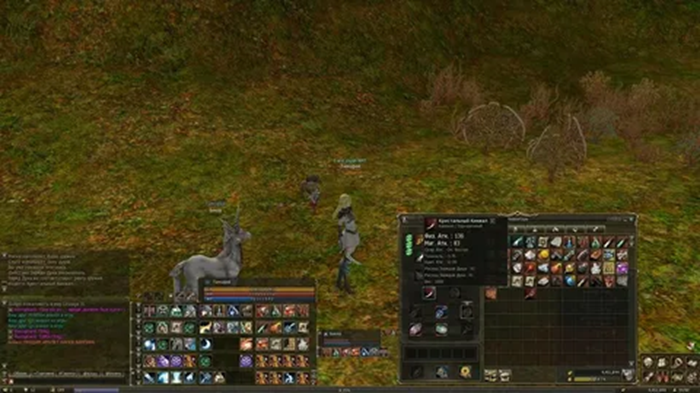
Creating your own Lineage 2 server is a project that combines administration, database management, and game core configuration. Proper environment preparation and an understanding of the architecture will help avoid common issues: crashes, lags, incorrect spawns, and quest errors.
Below is a practical guide: from choosing a build and installing dependencies to launch, testing, and basic security. This approach is suitable for both a local server “for yourself” and a public project, subject to further optimization and legal due diligence.


Choosing a build and installing server components
The key step is choosing a build for the desired chronicle (e.g., Interlude, High Five, etc.). Builds come in “with source” (for building from code) and “ready-made” (pre-built binaries). In both cases, it’s important to read the specific project’s documentation and check compatibility with the Java version.
Database Installation
After installing the DBMS, create a separate database and a user with rights to it only. Then import the SQL dumps that come with the build (usually separately for the login server and game server).
Important things to check in the database:
- encoding (UTF-8 is often recommended),
- all tables are present and the import is error-free,
- connection parameters (host, port, database name, login/password).
Server Configuration Setup
Most of the work involves configuration files. They define addresses, ports, database connections, rates, restrictions, and game rules. Don’t copy the settings blindly: even a small error in the IP or port will prevent you from logging in.
Typical parameters that are configured first:
- IP/Hostname: external and internal addresses (if there is a NAT/VPS/local network).
- Ports: login, game, telnet/administration (if used).
- DB access: connection URL, username/password, connection pool.
- Rates: EXP/SP, drop, adena, upgrade chance, spoiler.
- Security: connection limits, anti-flood, dupe protection (if enabled).
Launch and initial testing
Typically, launch in the following order: Database > Login Server > Game Server. Then connect with a suitable chronicle client. During the testing phase, record everything in the logs: script errors, geodata issues, thread drops, slow queries.
Test checklist:
- registration/account creation, logging in via login server, server selection;
- character creation, teleports, basic NPCs and dialogues;
- drops and spoils, experience accuracy, skill performance on mobs;
- events/sieges (if enabled), instance accuracy (if any);
- load testing (at least a simulation) and CPU/RAM usage analysis.
If the goal is a public Lineage 2 server, pay special attention to monitoring (logs, load graphs), database backups, and an update plan. Regular backups and disciplined config/script changes significantly reduce the risk of lost progress and extended downtime.
Operational best practices: backup your database before any edits, update the build using a test environment, store configs in the repository, and keep critical parameters (passwords, access rights) separate and restrict access rights to them.
Summary: A practical outline for launching and developing a Lineage 2 server
Creating a Lineage 2 server comes down to a sequential build: selecting chronicles and builds, preparing the infrastructure, installing Java and databases, setting up configurations, testing, launching, and subsequent operation with regular updates.
Disciplined backups, security control, performance monitoring, and a clear change policy are critical: all edits are recorded, tested on a test bench, and only then are they released to production. Production.
Final Readiness Checklist
- Infrastructure: Stable VPS/server, dedicated resources, configured firewall, secure access (SSH/RDP), dedicated users and permissions.
- Build and Dependencies: Correct Java version, GameServer/LoginServer installed, compatible database (MySQL/MariaDB), configured connections.
- Configs and Game Balance: Rates, spawns, drops, economy, PvP/PvE parameters, correct geodata/datapacks (if applicable), rules and administration commands.
- Database: SQL scripts applied, account/character tables verified, indexes configured (if necessary), automatic backups.
- Network and Access: Required ports open, external IPs/domains correct, client Connects without errors, timeouts and limits are set sensibly.
- Testing: account/character creation, world entry, basic quests, teleports, trading, PvP, sieges (if planned), load testing.
- Logs and monitoring: GameServer/LoginServer logs enabled, log rotation configured, CPU/RAM/disk/network metrics, alerts.
- Security: OS updates, admin access restrictions, brute-force protection anti-cheat/anti-bot measures (depending on the build’s capabilities), GM permissions control.
- Operational processes: restart schedule, maintenance window, update plan, feedback channel, “test first, then continue” rule.
- Record the selected chronicles, build, and project goals (rates, server type, audience).
- Prepare the server and environment (OS, Java, DB, access, ports).
- Deploy LoginServer/GameServer, import SQL, configure configs.
- Run functional and load tests, fix errors using logs.
- Open the server, ensure monitoring, backups, and regular updates.
Result: following this scheme, you get a managed Lineage 2 server that It can be safely scaled, supported with patches, and expanded with content without losing stability.